What racking wine teaches about agent memory
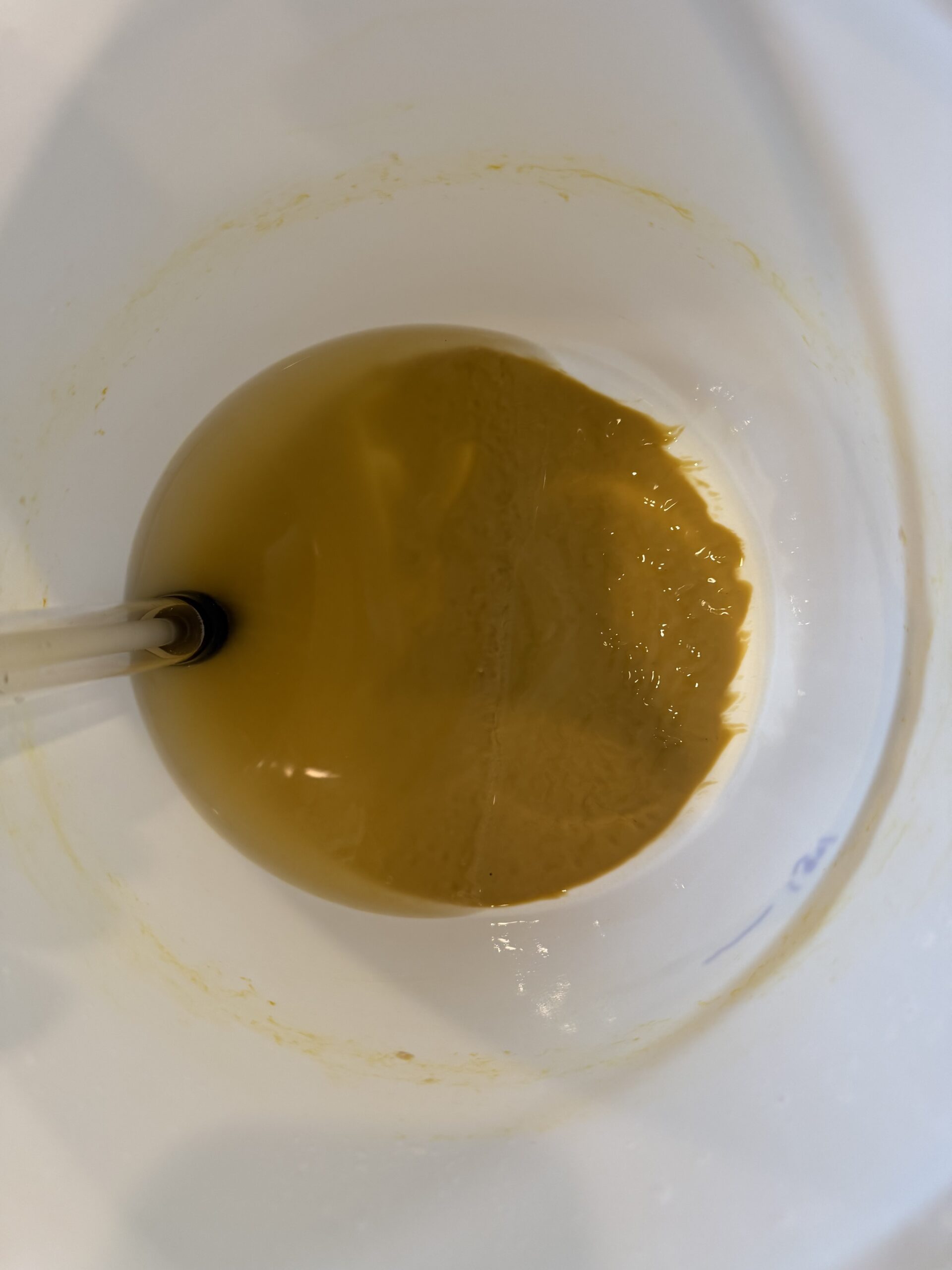
The mead’s lees on October 21, with the racking cane at the edge. Everything the siphon left behind stays here.
That layer at the bottom of my mead fermenter did most of the work of turning honey and water into something worth drinking. It’s spent yeast and the debris of a few weeks of vigorous fermentation. Without it, there’d be nothing to rack.
I left all of it behind on purpose.
What lees are, and why they stay behind
When primary fermentation winds down, the yeast that did the work drops out of suspension along with whatever solids came along for the ride. That sediment is called the lees, and the first, heaviest layer is known as the gross lees.
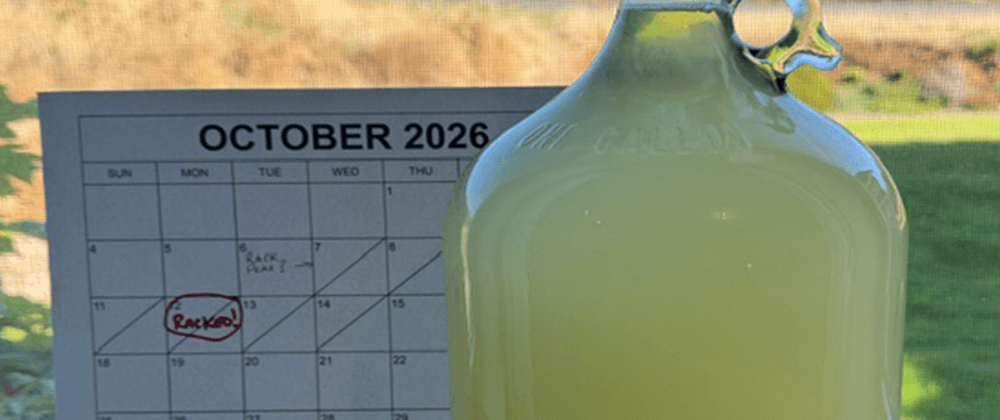
Racking is how you separate the wine from it. You siphon the wine off from above, carefully, into a clean vessel, and leave the sediment where it settled. I racked the pear wine on October 12, once the readings had held steady long enough to justify the move, and the mead on October 21, when its refractometer reading had settled at 3.2 Brix.
The pear racking went smoothly, and it taught me something I didn’t expect. I’d added bentonite, a clay that binds proteins and helps haze drop out, and I assumed that by racking day the wine would be close to see-through. It wasn’t. It’s not murky, but it’s not clear either. Racking had separated the wine from the heavy sediment. It hadn’t made the wine clean. The finer material still in suspension will take weeks to settle, and there will be another racking after it does.
Hold on to that distinction, because it comes back later.
The reason to rack isn’t that the lees are bad. It’s that their job is done. Left in contact with the wine too long, the heavy lees start to break down, and the compounds they release can push the wine toward off flavors that range from dull to genuinely unpleasant. Material that was essential during fermentation becomes a liability during aging.
That’s the whole article in one sentence: not everything useful during execution deserves to survive execution.
Agents have lees too
Watch an AI agent work through a nontrivial task and you’ll see the equivalent of a primary fermentation. It retrieves documents, most of which turn out to be irrelevant. It calls tools and gets back large blobs of output. It tries an approach, hits an error, and backs out. It forms hypotheses that don’t survive. It reads text from untrusted sources, some of which might contain instructions it was never supposed to follow.
All of that is essential while the task is running. The failed attempts are how it found the working one. The irrelevant documents are how it figured out which were relevant.
And then the task ends, and a surprising number of memory designs do the equivalent of never racking the wine. The transcript gets saved. The tool outputs get embedded. The scratchpad gets summarized into long-term memory without anyone deciding which parts of it were conclusions and which were sediment.
For a while, nothing seems wrong. Then the lees start to break down. A hypothesis the agent abandoned on Tuesday gets retrieved on Friday as if it were a fact. An error message from a transient outage becomes a durable belief that some service is broken. A snippet of injected text from a web page resurfaces, weeks later, in a context where it looks like a user preference. None of these were bad things to have during the task. They’re bad things to have in the cellar.
You can’t filter it out at the glass
The obvious objection is that you can sort it out later. Store everything, and let retrieval figure out what’s relevant.
Winemaking has a pretty clear answer to that. If you leave the wine on the gross lees for months, you can’t fix it by pouring carefully. The problem isn’t that sediment ends up in the glass; you could decant that away. The problem is what the sediment did to the wine while it was stored together.
Memory systems work the same way. Raw execution material doesn’t just sit inertly waiting to be filtered at read time. It gets summarized, and the summaries inherit its errors. It gets embedded, and it competes in similarity search with things that were actually true. It feeds derived facts, and those facts get cited by later tasks. By the time a read-side filter sees it, the contamination has already been folded into things that look clean.
None of this means throwing the raw record away. Transcripts and tool outputs are genuinely valuable for debugging, forensics, and compliance, and a system that can’t reconstruct what an agent did is its own kind of problem. The distinction is between keeping evidence and promoting it into memory. A raw execution log in an archive the agent never retrieves from is evidence. The same log embedded into the store the agent reasons from is sediment in the wine. Winemakers make the same split: lees you want to keep go into a separate jar, for cooking or for starting the next batch. They don’t stay in the carboy.
That’s why I’ve come to think the decision about what persists belongs at write time, as a deliberate boundary, rather than being deferred to whatever happens to read the store later. I’ve been calling this Write-Side Custody: the system that writes memory is responsible for what it lets in, and for being able to say why.
One boundary doesn’t make it clean
Remember the hazy pear. A write-time boundary works the same way the first racking does: it removes the gross sediment, the material that’s obviously done its job and is obviously going to cause trouble. It doesn’t guarantee that what passes through is perfectly clean.
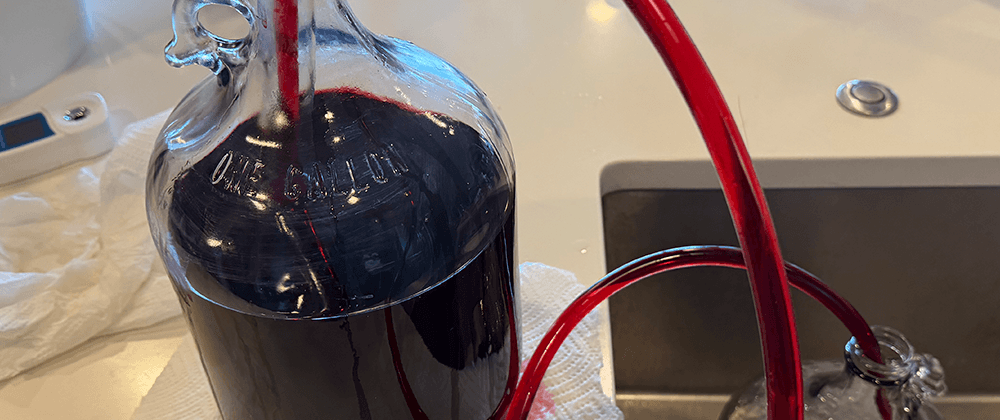
Some fine material always comes along. A conclusion that seemed confirmed turns out to rest on a shaky source. A summary carries a little of the noise it was built from. That isn’t a reason to skip the boundary. It’s a reason to expect more than one. Wine gets racked again after it has had time to settle, because time reveals what the first separation couldn’t. My blackberry wine got its second racking the same week as the mead’s first, and weeks after the heavy sediment was gone, it still left a layer of fine lees behind. Memory benefits from the same second pass: revisiting what was stored once it has been used, contradicted, or simply aged, and deciding again what still deserves to stay.
The first racking makes the problem manageable. It doesn’t make it finished.
The racking cane leaves wine behind
Here’s the part nobody mentions in the metaphor-friendly version of racking: you lose wine.
To avoid drawing up sediment, you stop siphoning a little before the bottom, which means leaving some perfectly good wine behind with the lees. In a five-gallon batch that loss barely registers. In a one-gallon batch, it’s noticeable.
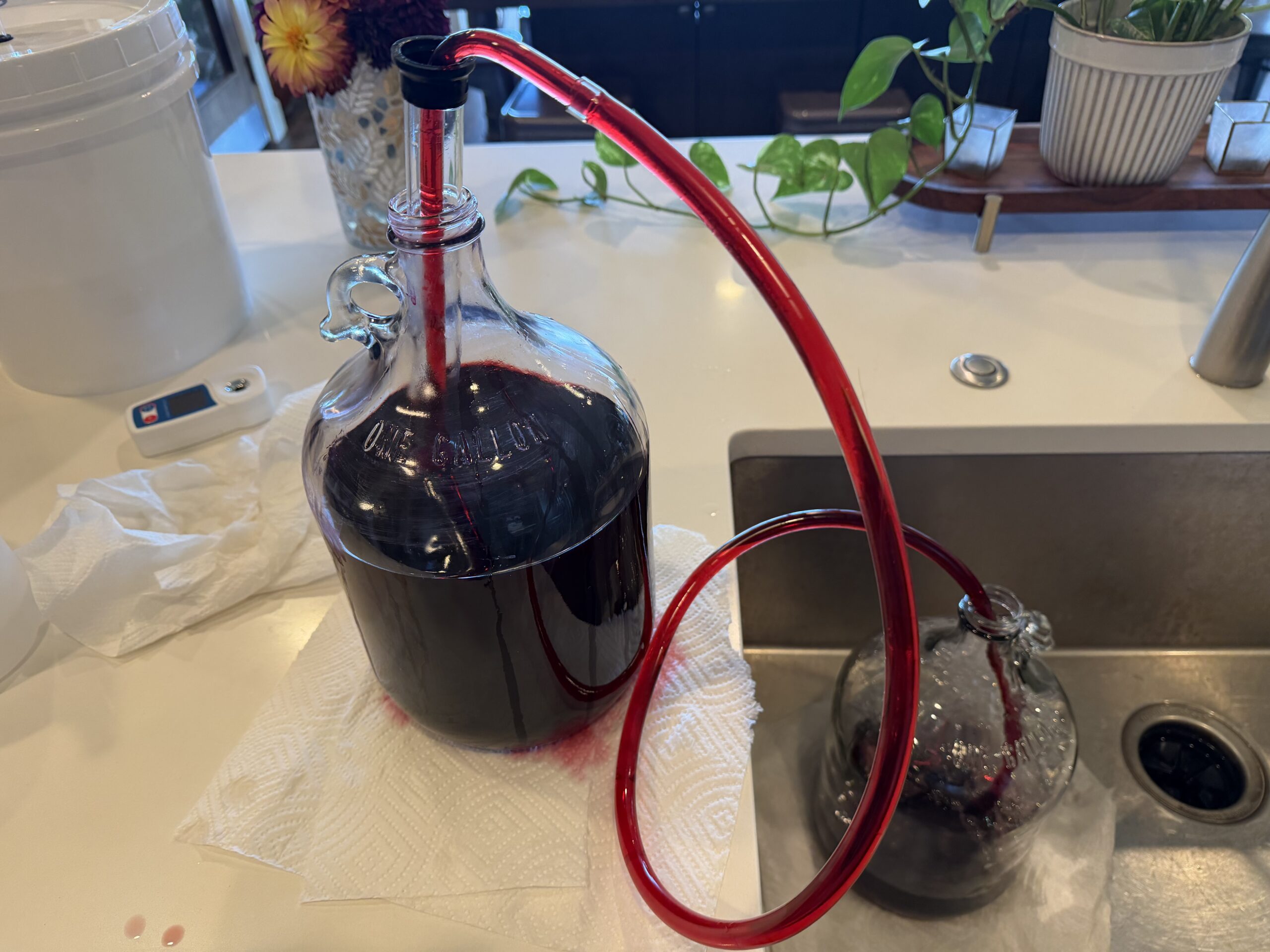
The blackberry’s second racking. The receiving carboy sits lower so gravity does the work.
The pear got lucky. I’d made a little more than the carboy could hold, so the loss came out of the surplus, and the surplus was just enough for one hydrometer reading. The mead lost four ounces to its lees, about 3% of the batch. The blackberry’s second racking lost eight, about 6%, and not all of that was sediment: the auto-siphon simply couldn’t reach into the corners of the carboy. The shape of the vessel set part of the cost.
A carboy that isn’t full has headspace, and headspace is air, and air is how wine oxidizes. So the gap has to be filled with something. For the mead, I topped it back up with four ounces of honey water, made from the same fireweed honey, at 18.4 Brix, which means the mead now has a little fresh sugar in it, on purpose, and the log says so. For the blackberry, I didn’t have anything worth adding, so I used an inert gas instead. It doesn’t replace the missing wine. The carboy holds less than it did, and nothing will change that. What the gas does is protect the wine that’s left, by keeping oxygen away from it.
That’s an honest cost, and it’s the right trade. Chasing the last few ounces means stirring up the sediment you were trying to leave behind.
Memory boundaries have the same cost. A write-side filter conservative enough to keep out the sediment will sometimes discard something that would have been useful: a detail from a failed attempt, a tool output that mattered after all. That’s not a flaw in the approach. It’s the price of the boundary, and it’s usually far cheaper than the alternative. A memory store that has lost a few useful details is annoying. One that has absorbed a few confidently wrong ones is dangerous, because it doesn’t know which ones they are.
It’s worth separating the two kinds of loss, though, because the blackberry had both. Some of what stayed behind was sediment I chose to leave. The rest was wine the siphon physically couldn’t reach. Memory systems lose information the same two ways. Some is discarded by policy: a rule decided this didn’t deserve to persist. Some is lost to the equipment: a schema with no field for it, a fixed chunk size that splits it in half, a context limit that drops whatever came first. Nobody decided to lose that second kind, which is exactly why it goes unnoticed. The fixes are different, too. A bad policy gets a better rule. A bad vessel gets better equipment, and no amount of careful siphoning will reach a corner the tube can’t bend into.
And when the boundary leaves a gap, those two top-offs are worth remembering. Adding something real is fine when it’s deliberate and recorded: the mead’s top-off is a known liquid at a known strength, written down the day it went in. The trouble is filling the space with something that only looks like the real thing: a plausible guess, a synthesized summary, a default. That’s topping up with water and not mentioning it. It dilutes the record, and nobody can tell afterward which part was the wine. When there’s nothing real to add, do what the inert gas does. A record that says plainly this was discarded, and here’s why doesn’t restore what was lost. It protects everything downstream from treating the gap as something known. That’s the job: not filling the hole, but making sure nothing mistakes the hole for knowledge.
Sur lie is a decision
To be fair to the lees, some winemakers deliberately keep wine on them. Aging on the fine lees, the lighter sediment that remains after the first racking, is a traditional technique for adding texture and complexity. It’s called sur lie, and Muscadet and Champagne are built partly on it.
But notice how it’s done. It’s the fine lees, not the gross lees. It’s a specific choice made for a specific wine, often with regular stirring and attention. Nobody ends up with a sur lie wine because they forgot to rack.
The same is true in memory. Sometimes execution detail genuinely deserves to persist. A failed approach might be exactly the thing you want an agent to remember next time: we tried this, it doesn’t work, here’s why. That’s valuable. But it’s valuable because someone decided to keep it, labeled it as what it is, and recorded where it came from. A lesson learned from a failure is a different thing from the failure’s raw transcript sitting in the store, waiting to be mistaken for advice.
Keeping execution material can be the right call. Keeping it by default almost never is.
Rack at transitions, not constantly
One more practical lesson. Racking isn’t free for the wine either: every transfer exposes it to oxygen and handling. So you don’t rack constantly. You rack at transitions, when primary ends, after secondary, before bottling, at the points where the evidence says the wine has moved into a new state. The mead waited in primary until its readings held still, then moved once.
That maps well onto memory design. Rather than continuously streaming everything an agent touches into durable storage, the natural points to decide what persists are the transitions: when a task completes, when a conclusion is confirmed, when a session ends. Those are the moments when you can tell the wine from the sediment, because the process has finished producing both.
Racking your memory
Decide what persists at write time. Read-time filtering can’t undo what raw material did to summaries, embeddings, and derived facts while it sat in the store.
Archive evidence; don’t promote it. Keep raw transcripts for debugging and audit, somewhere the agent doesn’t retrieve from. Evidence and memory are different stores.
Assume execution produces sediment. Failed attempts, irrelevant retrievals, transient errors, and untrusted text are normal byproducts of useful work. Plan for them to exist; don’t plan for them to persist.
Expect more than one pass. The first boundary removes the obvious sediment. Time reveals the rest.
Accept the cost of the boundary. A good filter will occasionally discard something useful. That’s cheaper than keeping something wrong.
Know which losses are policy and which are equipment. Some information is dropped because a rule said so. Some is dropped because the schema, chunk size, or context limit couldn’t hold it. Only the first kind was a decision.
Fill gaps honestly. When the boundary leaves a hole, either add something real and record exactly what it was, or record that something was removed, so the gap is protected rather than mistaken for knowledge. Never top it up with plausible filler.
Make retention deliberate. When execution detail is worth keeping, keep it on purpose, label what it is, and record where it came from.
Rack at transitions. The best time to separate conclusions from sediment is when the process that produced them has finished.
The pear is clearing now, a few shades brighter than it was in the fermenter, though still not as clear as I’d hoped. The lees did their job. They just don’t get to come along for the rest of it.